Upon completing payment for your life-time Membership you will be redirected to the Member
Registration Form. The instant you submit your registration you are redirected to default login
details and a link to the login page, (opens in a new window). You can login straight away
and post your ads.



Your solos are delivered to all opt-in addresses of 'our master list', which includes the 100 mailing lists with a combined count of 500,000+ Members. There is NO WAITING for Admin approval or a delivery queue, your solos are sent instantly with a single click of a button.

AD FORMATS

  • You can send TEXT Solo Ads directly from the Member Area.
  • You can send HTML Solo Ads to our 'lists' directly from your email client, this is the address you have opted in to the 'master list'. We provide easy to copy and paste templates. Add banners, special font and images to draw the readers attention.

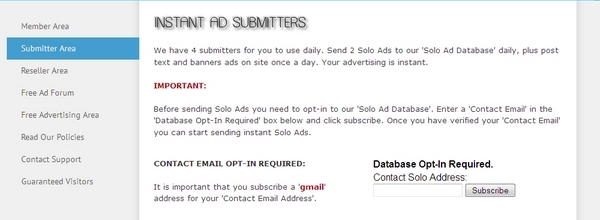
Database opt-In

The first thing you need to do when you
enter the Member Area is opt-in to our
database.


You need to opt-in before you can start
sending solo ads.
Opting in takes only
seconds.
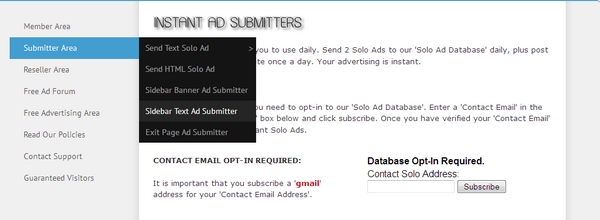
Click the 'Submitter Area' tab
on the Members Area menu.


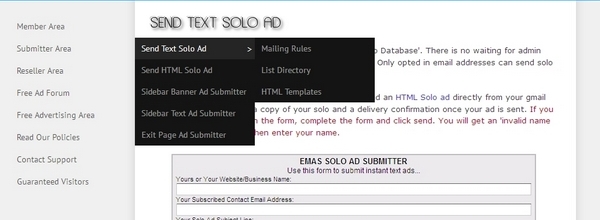
Sending Solo Ads

Upon successfully verifying the email
address you added to the database,
click 'Send Text Solo Ad' on the Member
Area slide out menu. You can send
Text or HTML Ads.


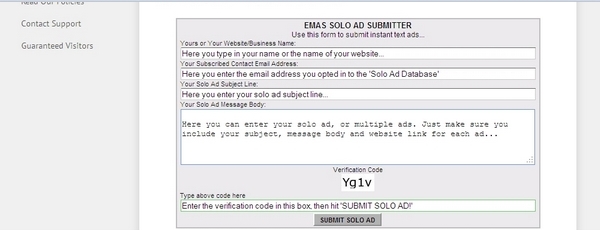
Ad Data Entry

Enter your name, website name or
your business name. You need to
enter the email you added to the
database so the system recognizes
you.

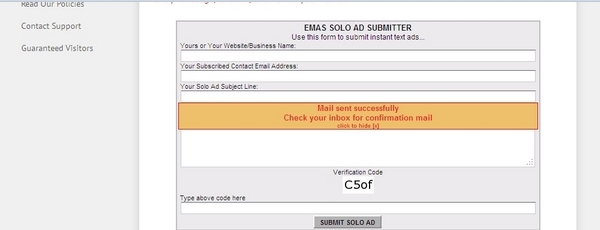
Enter your solo ad subject line and your message body. Enter the verification
code and hit 'SUBMIT SOLO AD'.


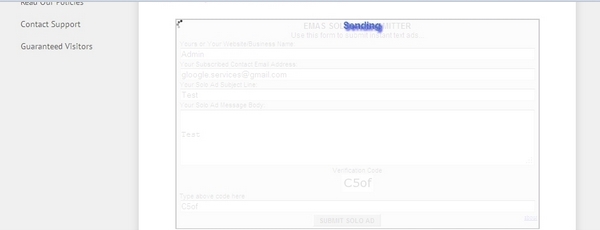
Sending Progress

Wait a few seconds while sending is
in progress.


Mailing Complete

When you see the 'Mail sent successfully'
message appear your ad has been sent.

You will receive a delivery confirmation
and a copy of your
opted in address.


We have 3 Instant Ad publishing tools that are easy to use. All Instant Ad Submitters work the same way, publishing ads in three different sections of our public site. With our Instant Ads there is NO WAITING for Admin approval.

Instant Ad Publishing

Scroll over the 'Submitter Area' tab in
the slide out menu, select the 'Instant Ad'
you wish to publish.

  • Sidebar Banner Ad.
  • Sidebar Text Ad.
  • Exit Page HTML or Text Ad.


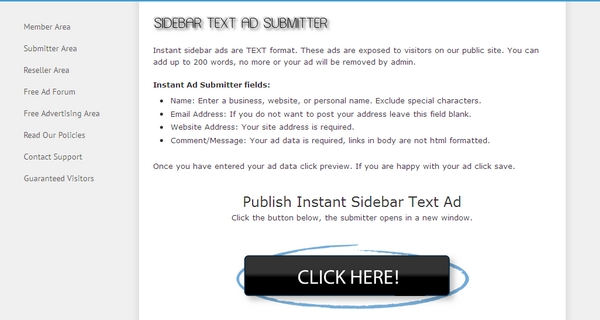
Open Publisher Window

Once you have selected the type of ad
you want to publish,
click the 'CLICK
HERE' button
. The publisher will then
open in a new window.


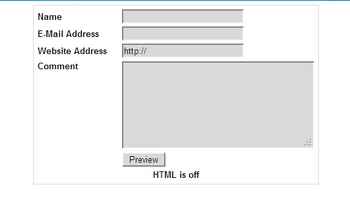
Below is the publishing editor, enter your ad details in the
form. Once you are finished click 'preview'.


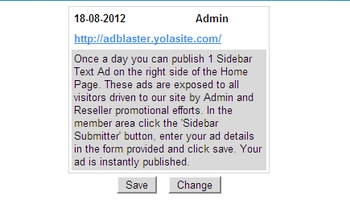
Below is the 'preview' window. To edit your ad click 'Change' and you will go back to the editor. If you're happy with your ad click 'Save'. Your ad is instantly Published!


This is simple effective advertising that anybody can use. If you have any questions please contact support.

This free website was made using Yola.

No HTML skills required. Build your website in minutes.

Go to www.yola.com and sign up today!

Make a free website with Yola